Employee Portal — User Guide
A step-by-step guide to using every section of the employee portal.
How to use this guide
Click on any section below to expand it and read the instructions. Each section covers one area of the portal with step-by-step tips.
The Dashboard is your home page and central hub. When you log in, you land here automatically.
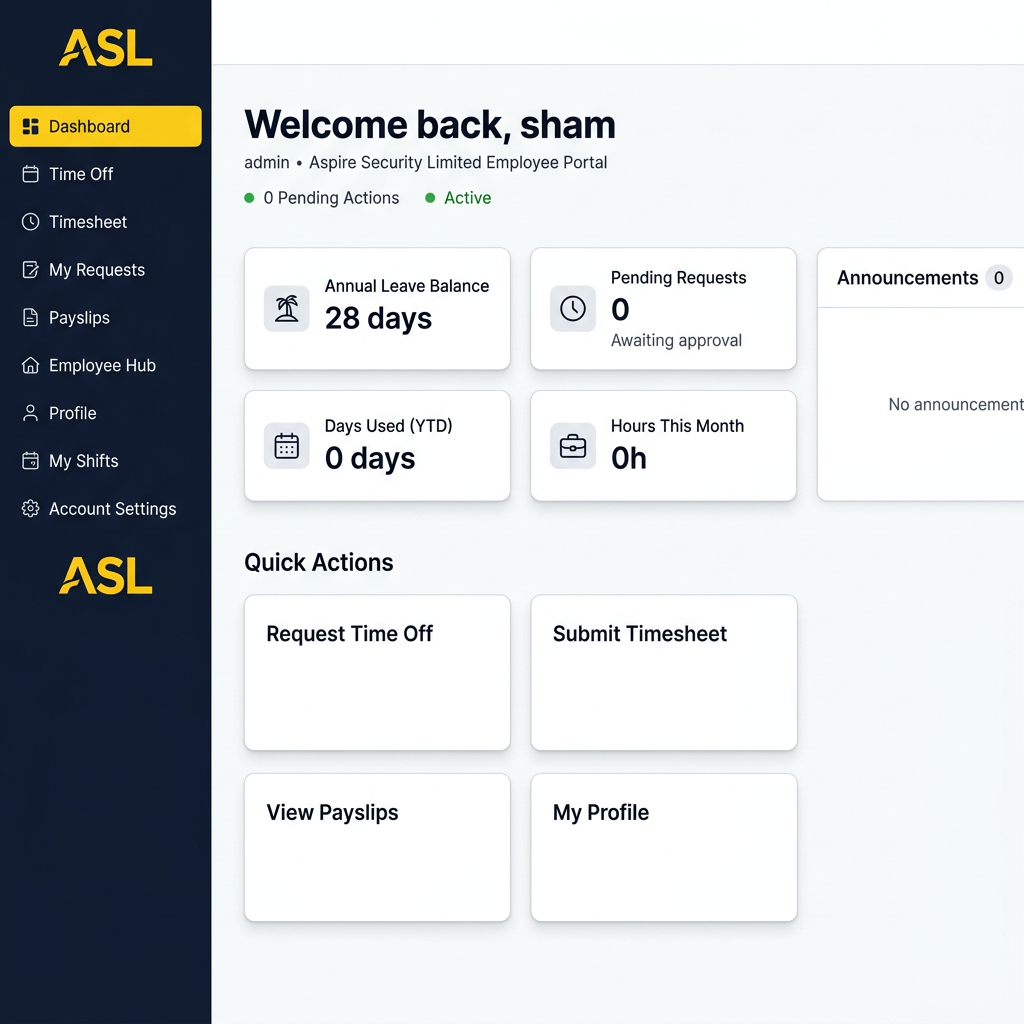
Annual Leave Balance — shows how many days you have remaining this year.
Pending Requests — how many of your requests are awaiting approval.
Days Used (YTD) — total leave days you have taken so far this year.
Hours This Month — total timesheet hours logged for the current month.
Quick Actions — shortcuts to Request Time Off, Submit Timesheet, View Payslips, and My Profile.
Announcements — company-wide notices from HR will appear here.
Use the sidebar on the left to navigate between all sections of the portal.
Need Help?
If you are experiencing any issues with the portal or have questions not covered in this guide, please contact the HR team:
📧 Email: admin@prestigebb.co.uk
📞 Phone: Speak to your line manager or contact the office directly.
© 2026 Prestige BB Limited — Employee Portal User Guide v1.0